
Viewing your Akismet stats data
Last updated:
All Akismet subscriptions include access to statistical data regarding their usage and activity.
Stats can be viewed in two places: your Akismet account dashboard at akismet.com, and directly in your WordPress admin area.
Viewing stats in your dashboard
To view stats for a particular site:
- If Jetpack is installed: In your WP Admin, go to Jetpack → Akismet Anti-spam, then click View detailed stats
- If Jetpack is not installed: If Jetpack is not installed: In your WP Admin, go to Settings → Akismet Anti-spam, then click View detailed stats
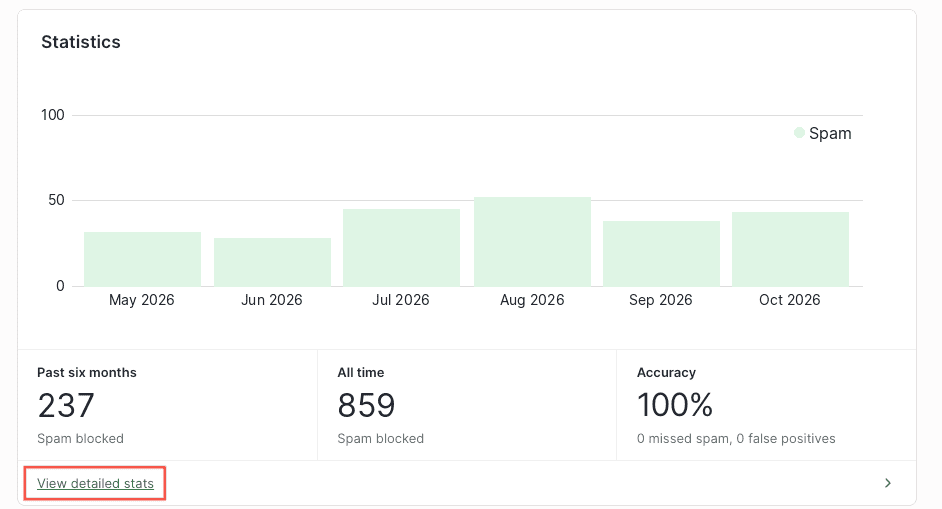
The stats page shows a chart of your site’s Akismet activity, broken down into four data types: spam, ham, missed spam, and false positives. You can toggle each data type on or off to customize the chart.
You can switch between four time ranges:
- 60 days: shows a daily breakdown, so you can see exactly how much activity Akismet handled on each individual day.
- 6 months: shows monthly totals for the past six months.
- 1 year: shows monthly totals for the past 12 months
- All time: shows your cumulative totals since Akismet was activated on the site.
Viewing stats in your Akismet account dashboard
Your Akismet account dashboard at akismet.com/account is the central place to view stats for any of your sites, download your data, and see account-wide totals.
Individual site stats
To view stats for a specific site, scroll down to the Active Sites section. This section displays the top 500 sites associated with your API key for the selected month, ordered by API usage.
Click the three-dot menu at the far right of any site and select “See more stats” to open detailed stats for that site:
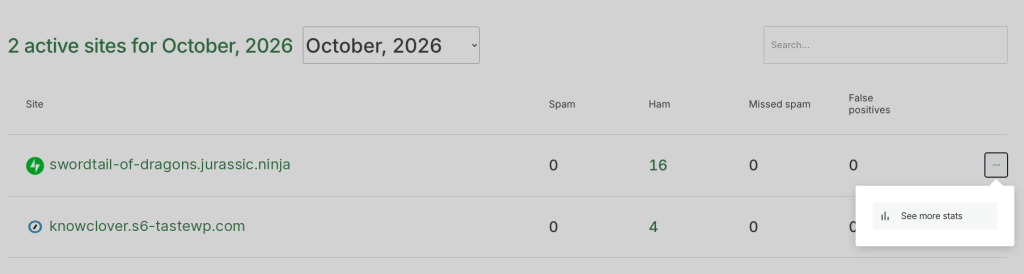
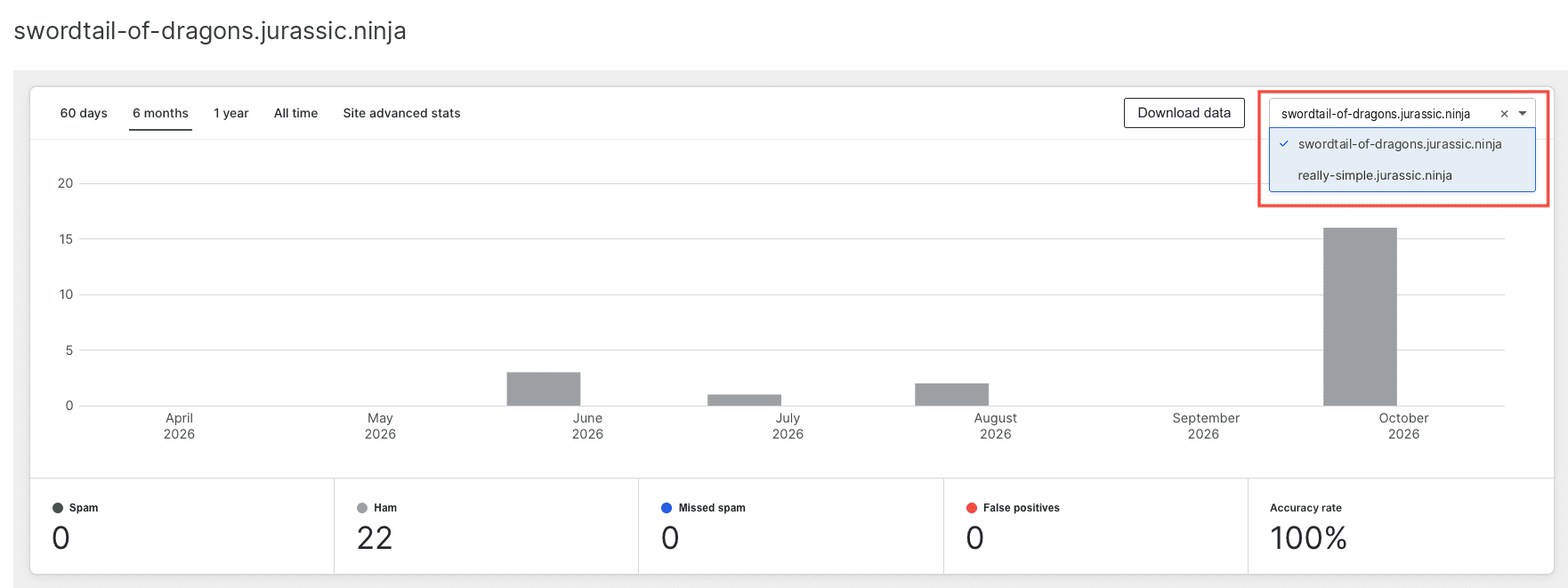
From the per-site stats view, you can switch between four time ranges: 60 days, 6 months, 1 year, or all time. You can also toggle the data types (spam, ham, missed spam, and false positives) on or off to customize the chart by clicking the corresponding sections. If you’re on a paid plan, you’ll also have the option to download these stats.
To view stats for a different site, click the dropdown and select it from the list:
Account-wide stats
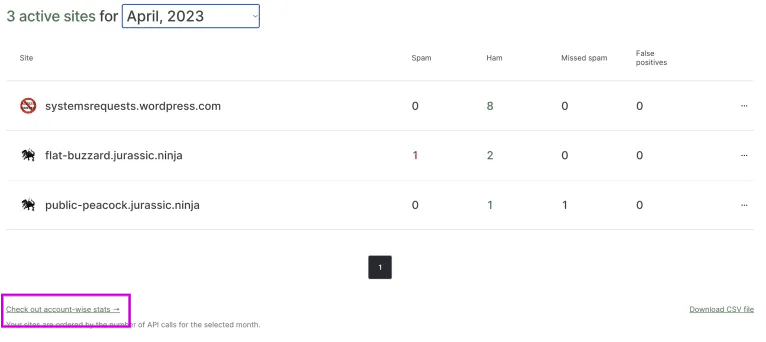
If you use Akismet on multiple sites and want to see your totals across all of them, scroll past the Active Sites list and click the “Check out account-wide stats” link:
If you have an Akismet Pro subscription or above, you also have access to Advanced Stats with additional data about classification probabilities, peak periods, and daily averages. You can learn more in Viewing your Advanced Stats data (link to: akismet.com/support/general/advanced-stats/).
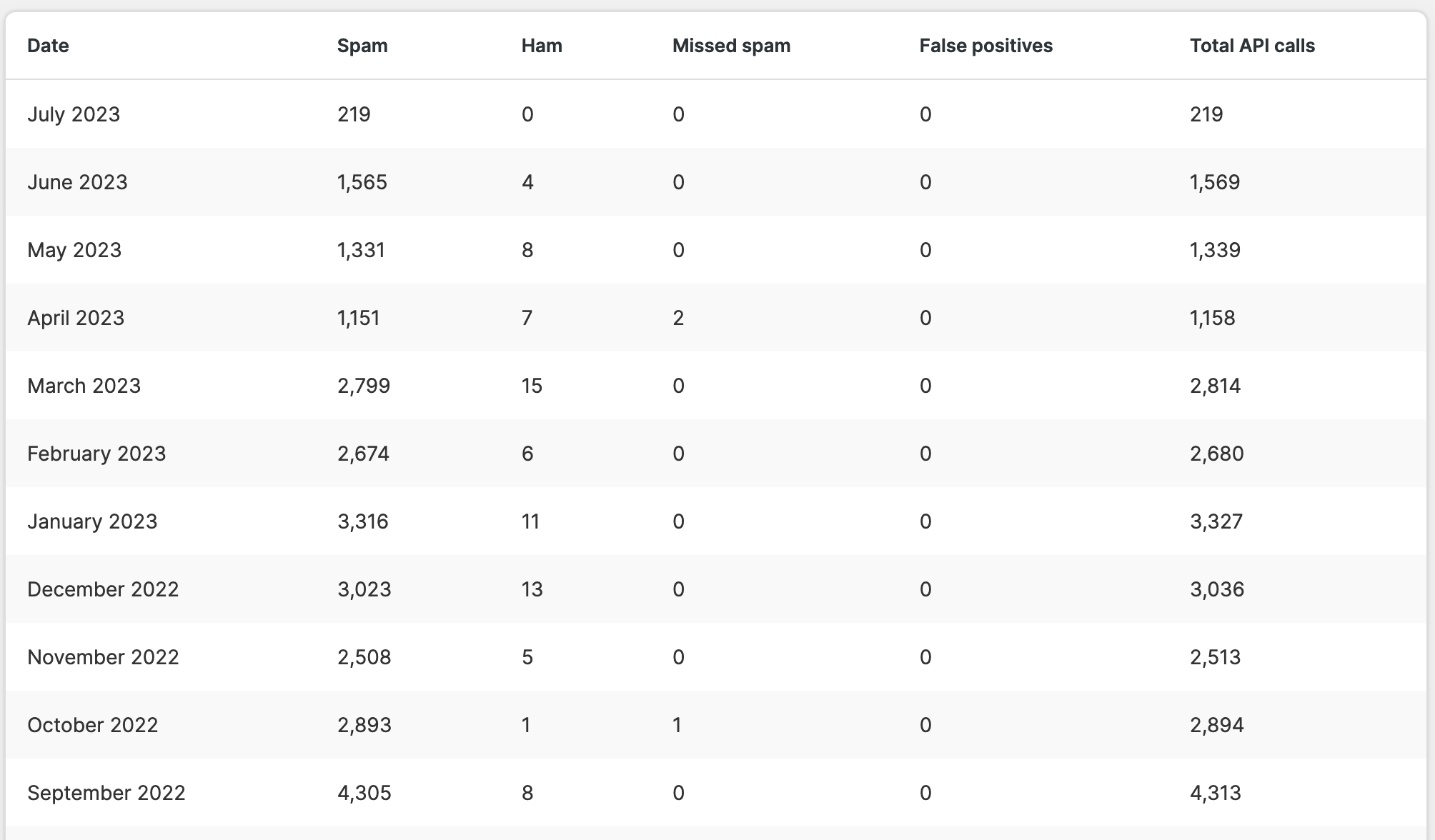
With a paid plan, you also have the option to download the stats by clicking the “Download data” button at the top of the dashboard.

Downloading monthly stats data
To download monthly stats data for your API key, visit your account dashboard and scroll down to the Active Sites section. Select a month and click the “Download CSV file” link. This will download a CSV file containing the monthly API usage stats for the sites that were active during that month.

Understanding your stats data
Akismet tracks four types of activity:
- Spam: comments Akismet identified and caught as spam.
- Ham: legitimate comments that passed Akismet’s checks.
- Missed spam: spam that Akismet didn’t catch, which was later manually marked as spam by a moderator.
- False positives: legitimate comments that Akismet incorrectly flagged as spam, recovered from the spam folder by a moderator.
If you have general questions about Akismet, please contact us.

